
featured work
MY AI WORKFLOW:
NEURAL NETWORK TRAINING
Neuralply — Neural Network Multiply
ROLE
CLIENT
DISCIPLINE
Creator & Developer
Self-initiated AI application
Creative Technology · UI/UX Development · AI Workflow Design · 3D Visualization
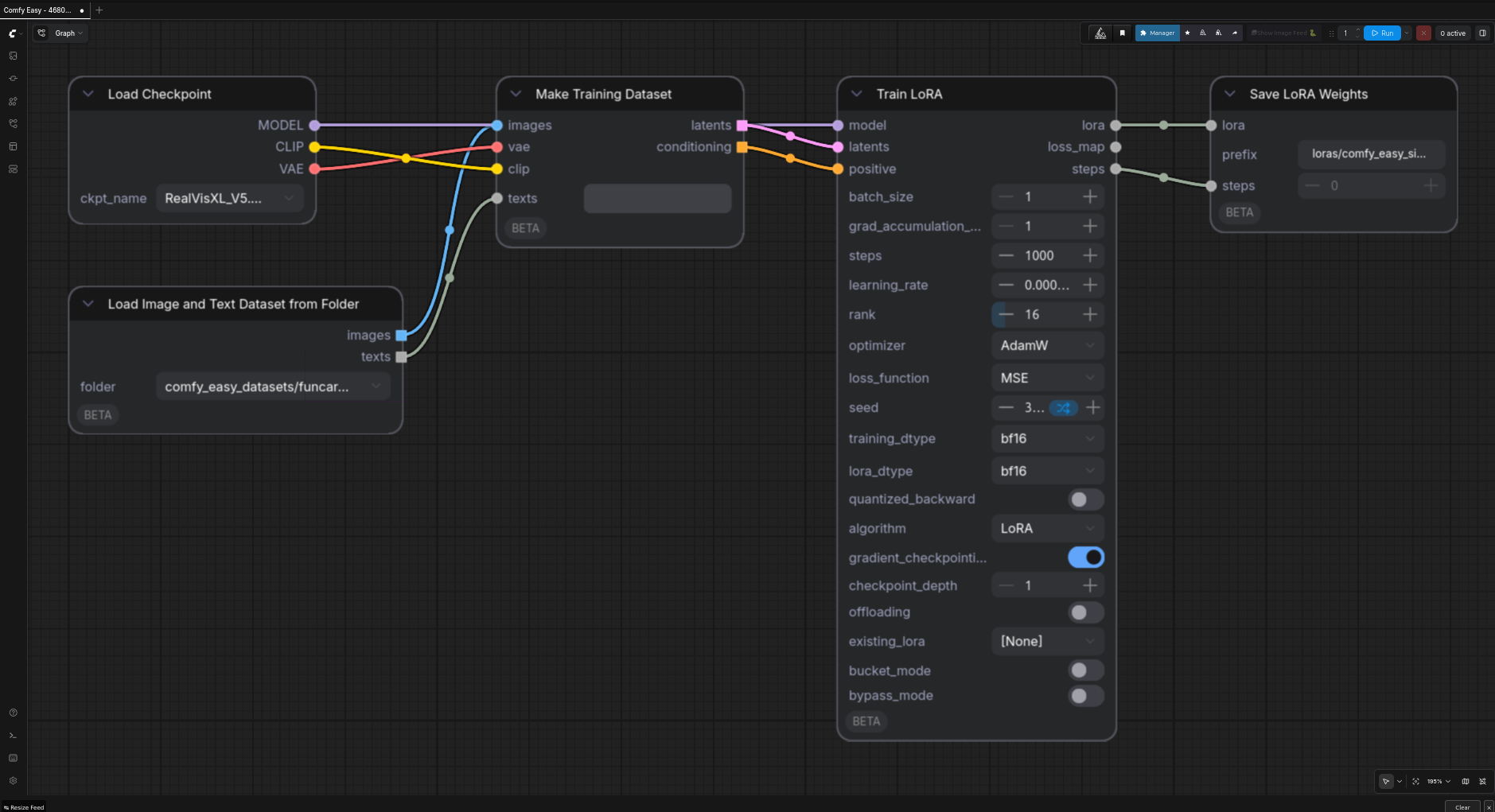
Neuralply: From 3D assets to image-model training
I created Neuralply—Neural Network Multiply—to connect 3D assets with a local AI visualization and LoRA-training workflow. I designed the UI/UX and developed the application, coordinating model capture, image generation, dataset review and training through one interface.
My work joins software development, visual direction and agentic workflow design. The result is a reusable subject adapter and a reviewable dataset, with human approval retained before training.

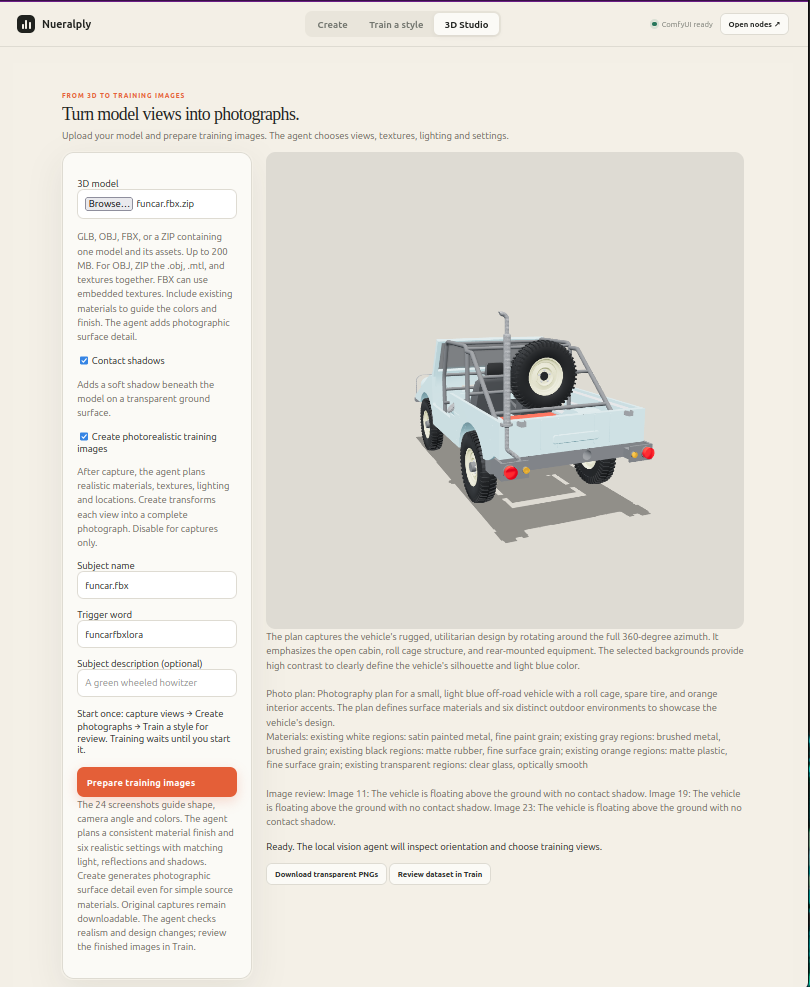
Design & Development
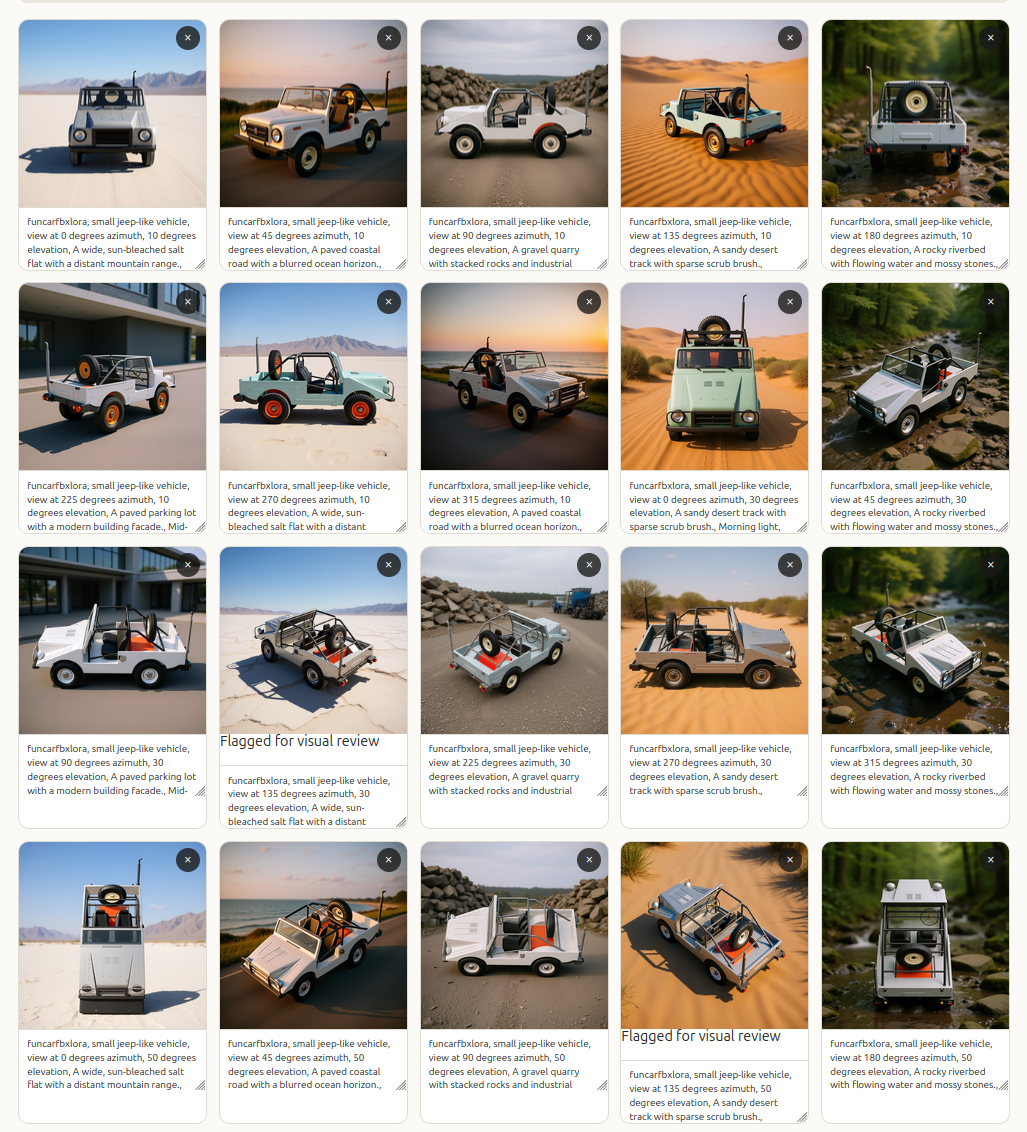
I designed the workflow around three connected stages: Studio, Create and Train. Studio uses a vision agent to help plan 24 views, which Three.js renders from the source asset. Create develops a shared material direction and six scene settings, then uses FLUX Kontext to generate reference-based imagery.
I connected those outputs to a review step with editable captions and selectable training depths. Users compare the imagery with the original captures before starting LoRA training, then select the resulting adapter with a compatible base model.
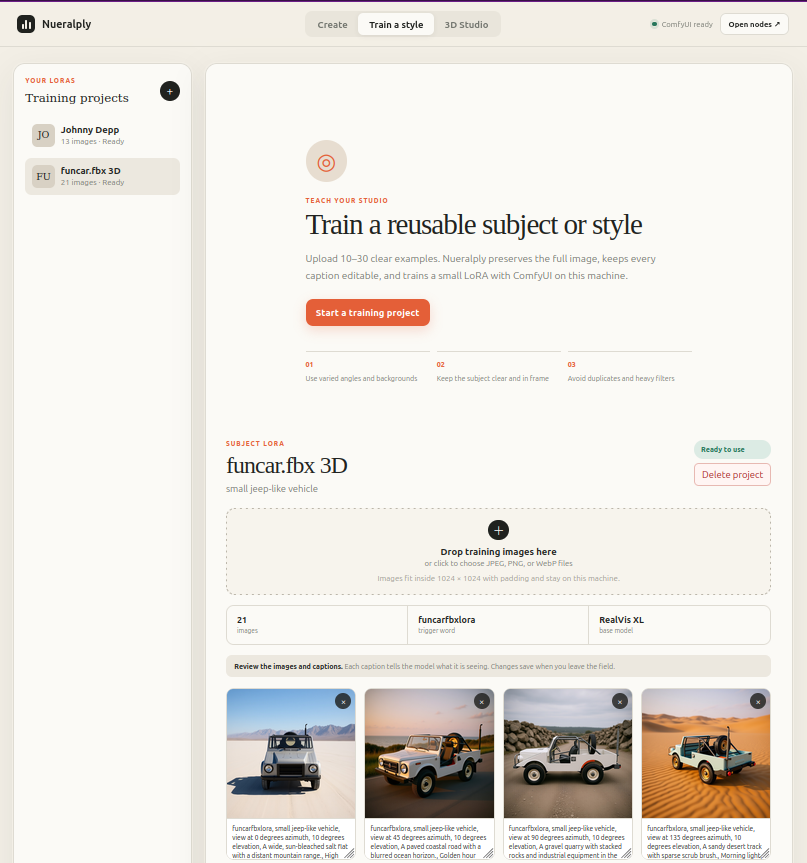
Human Judgment in the Workflow
I built source comparison, caption editing and explicit training approval into the workflow. The vision agent provides advisory checks, while the user decides which examples belong in the dataset. This matters because repeated errors can be learned along with the intended subject. The adapter learns visual patterns; it does not preserve CAD constraints or guarantee exact geometry.
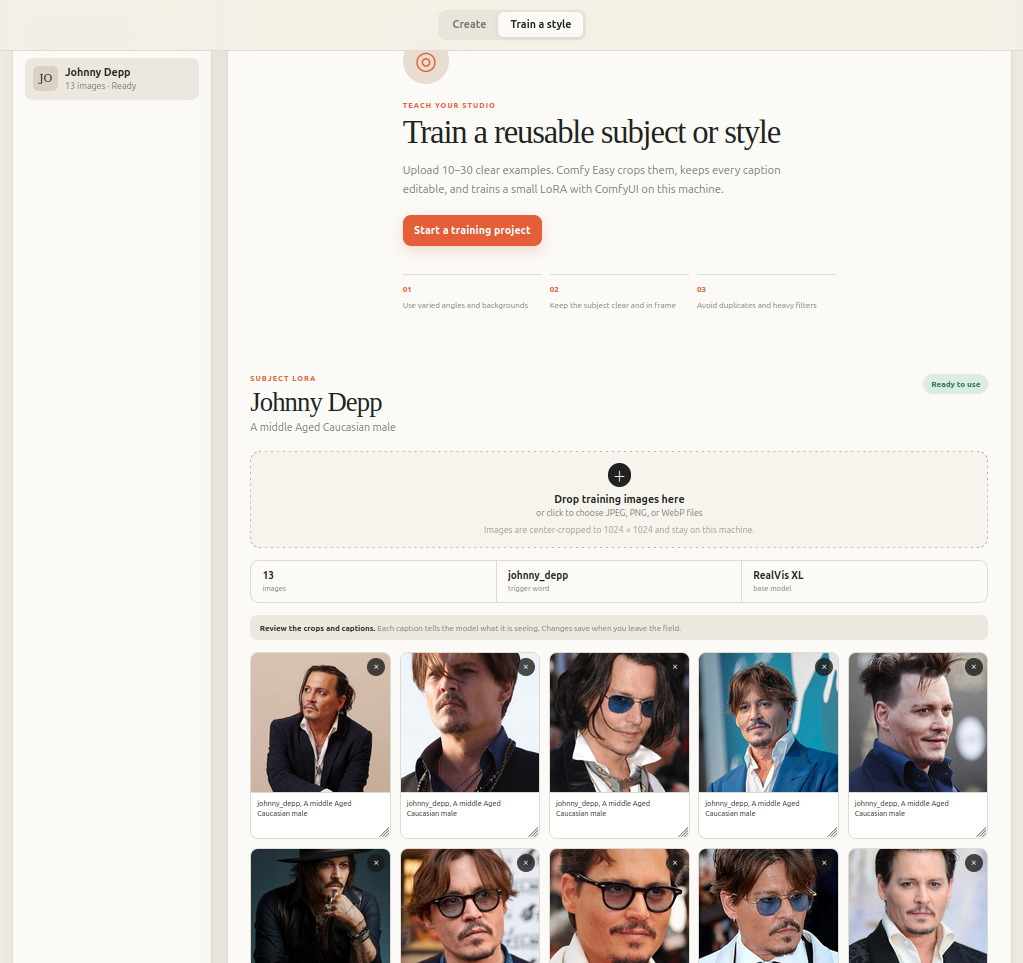
Why It Matters for Companies
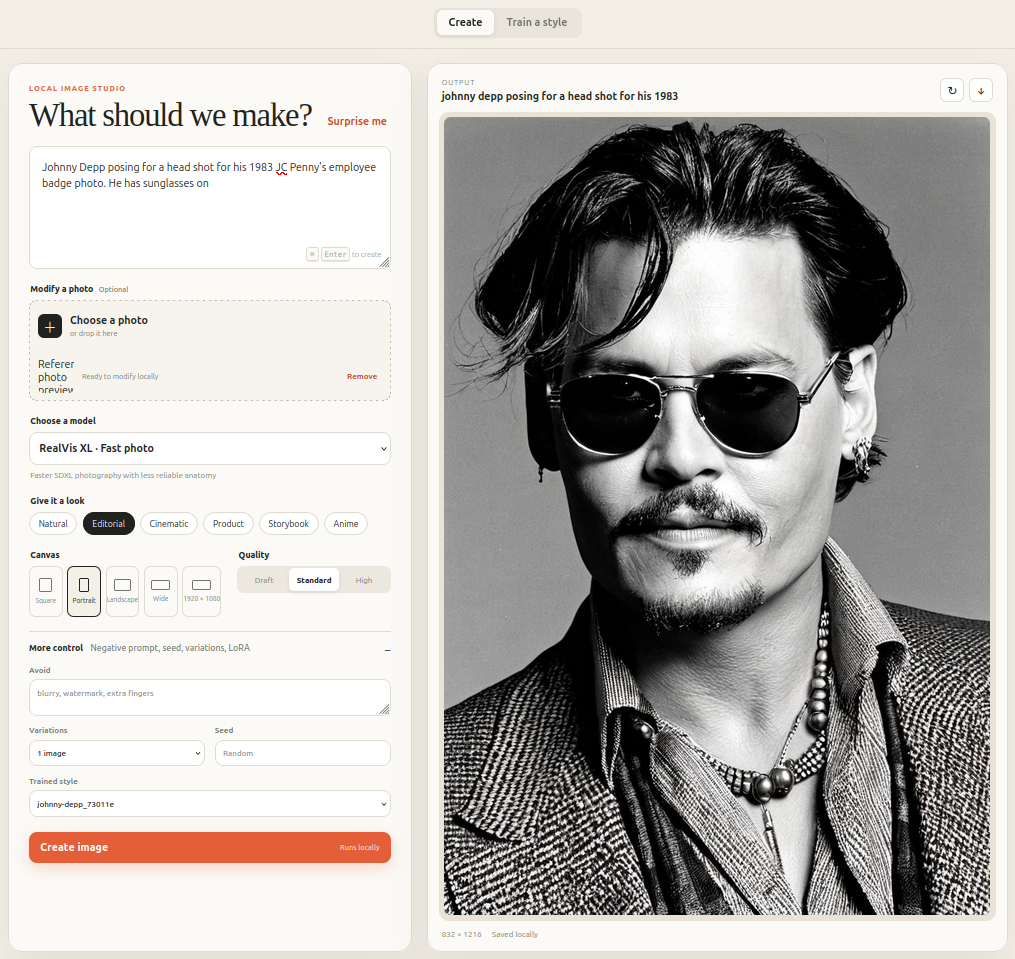
Neuralply provides a route for turning an existing design asset into a reusable input for AI visualization. Potential applications include exploring product presentation, concept settings and stakeholder imagery before committing to final production.
Its value lies in the connected process: automated view preparation, coordinated material and scene planning, reviewable training data and a saved subject adapter. The configured workflow runs locally, keeping source models and images out of cloud image-generation services. Retaining the source captures, prompts and captions also gives teams a basis for investigating errors and improving subsequent training runs.
Creative Technology in Practice
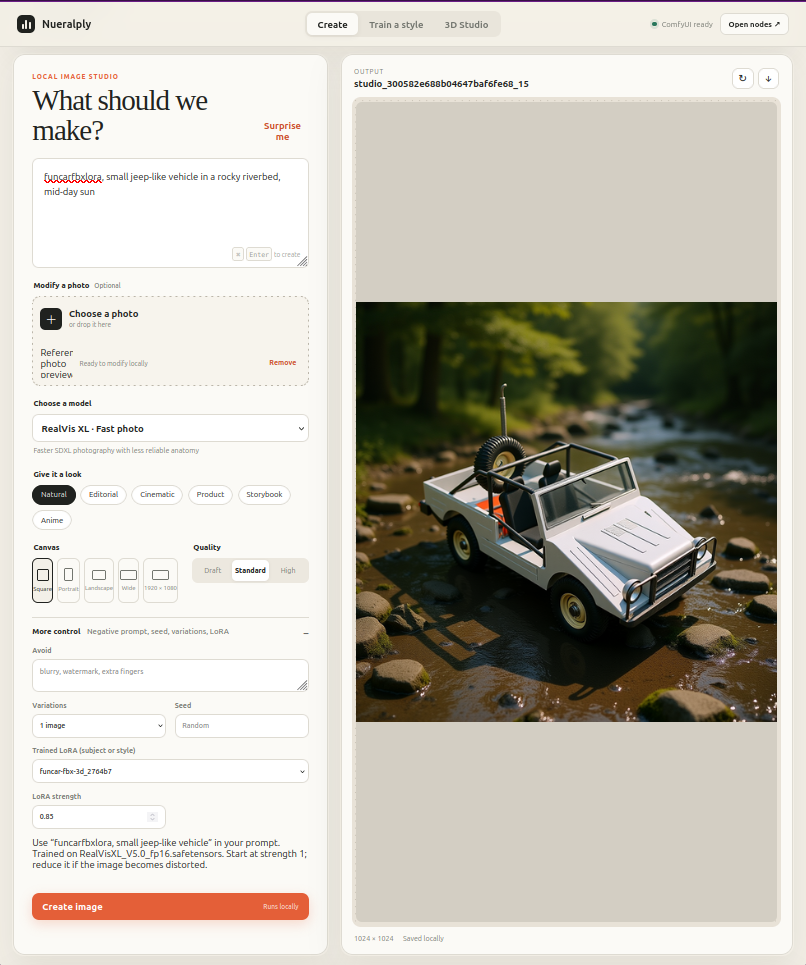
I designed and developed the application that connects spatial visualization, image generation and model training into a usable process. My contribution includes the interface, workflow structure and orchestration between existing AI tools, with clear review points for design judgment.
Technical Architecture
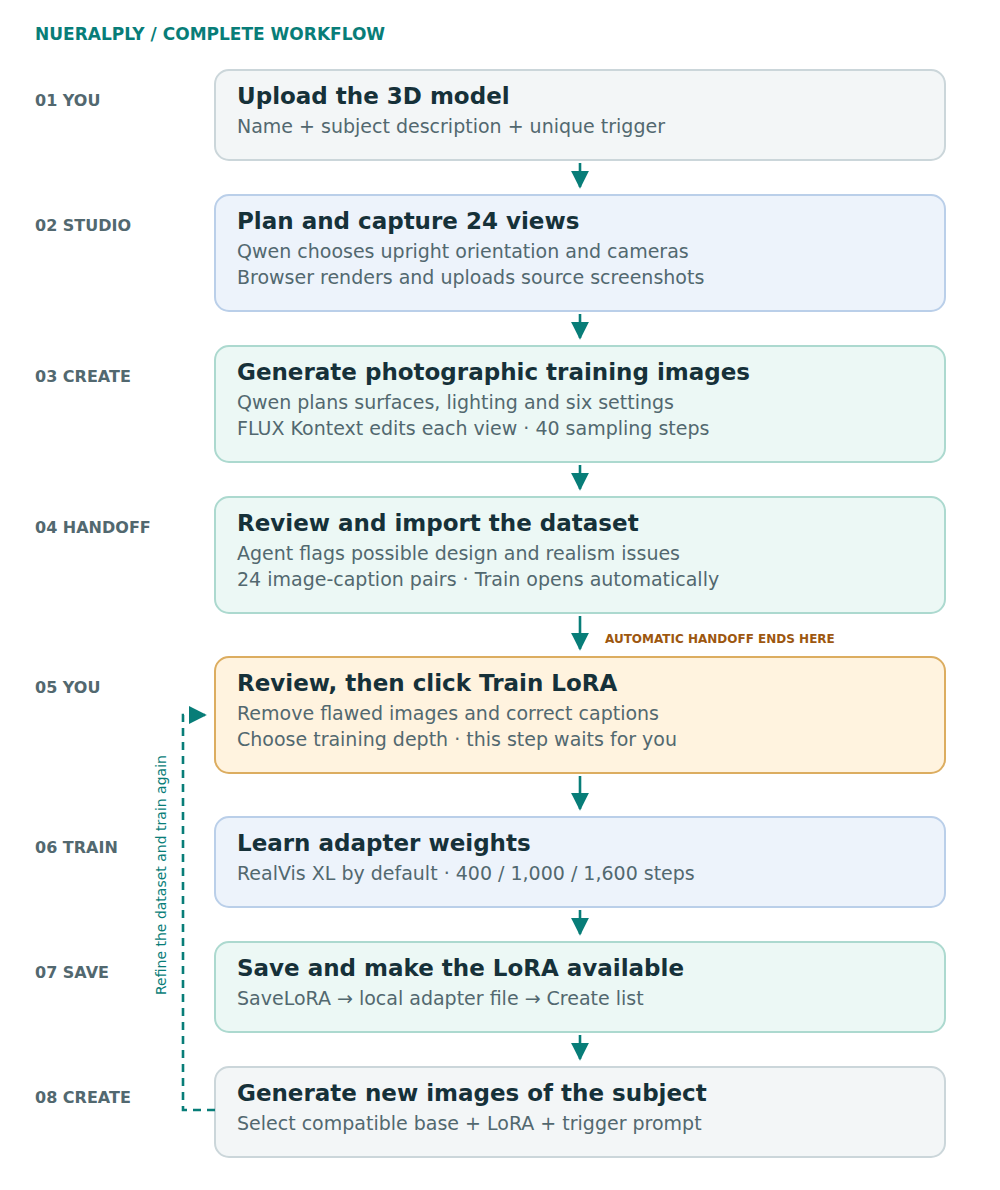
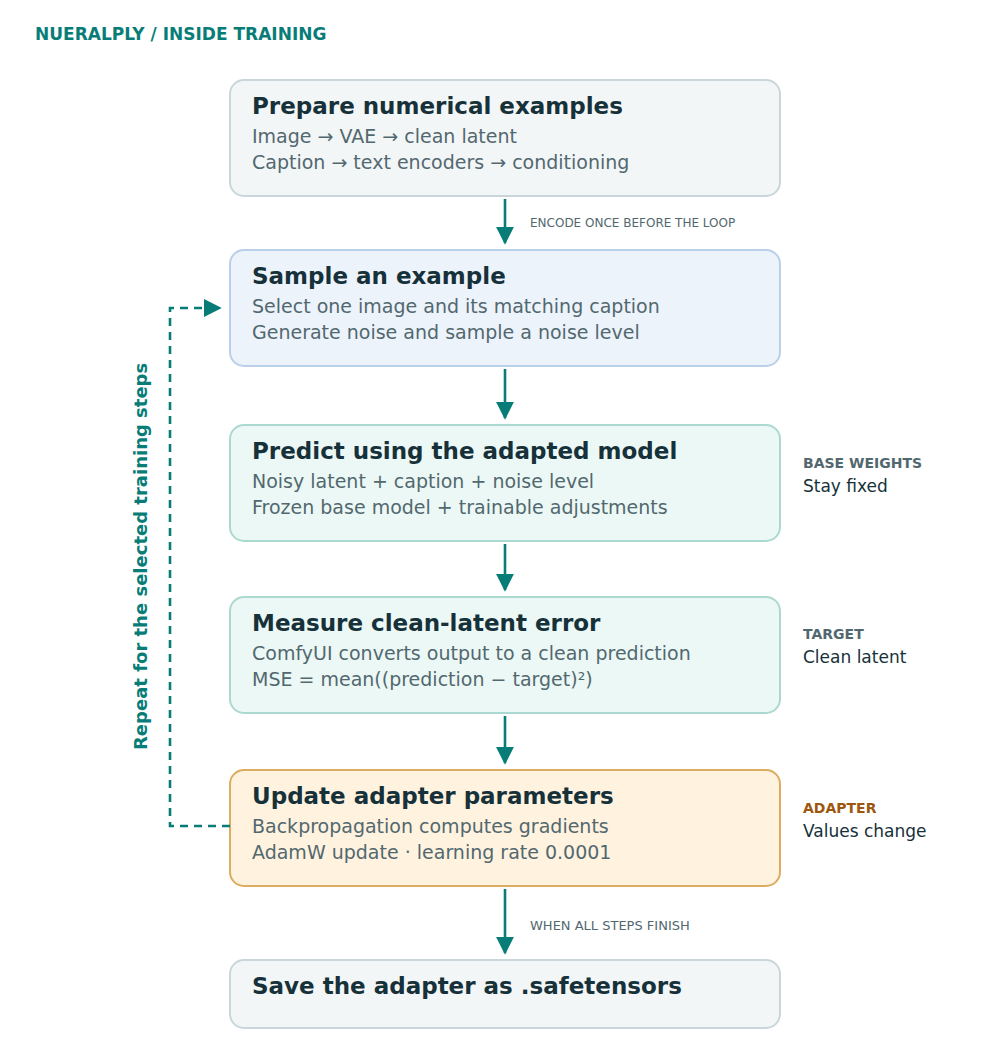
The pipeline assigns distinct responsibilities to each component. Qwen performs visual planning and advisory review through Ollama. FLUX.1 Kontext Dev generates the reference-based training imagery. ComfyUI executes the generation and adapter-training graphs, while the application manages validation, job state, dataset preparation and adapter availability.
The automatic Studio route creates a training project using RealVis XL V5.0, an SDXL base. A separate project can train the prepared images on an installed FLUX base. The image-and-caption dataset can be reused for another training project; the resulting LoRA weights remain architecture-dependent.
Training keeps the base model fixed and updates adapter parameters. The interface provides 400-, 1,000- and 1,600-step presets, which also change adapter rank. A completed run saves a .safetensors adapter and makes it available in Create. Output evaluation remains a manual task, including comparisons across viewpoints, settings and adapter strengths.
Three.js · ComfyUI · Ollama · Qwen vision agent · FLUX.1 Kontext Dev · RealVis XL / SDXL · LoRA

Experiential Design
26 DEFENSE

Experiential Design
GUBER'S RUN
Experiential Design
PRIMEX

Experiential Design
LIKE BIRDS

Creative Technology
MY AI WORKFLOW:
3D to RENDER
.png)
Creative Technology
MY AI WORKFLOW:
NEURAL NETWORK TRAINING

Creative Technology
MY AI PROJECT:
EDGE INFERENCING

Creative Technology
NEXT GEN COCKPIT

Creative Technology
ZERO-G
Creative Technology
INTERACTIVES

Creative Technology
AREN

Art Direction
ANGRY BIRDS

Art Direction
COMMISSIONED PAINTINGS

Art Direction
CREATURE / CHARACTER DESIGN

Art Direction
VALUSOFT / COSMI

UI/UX Development
2ND GEAR

UI/UX Development
LA HOMES AND ARCHITECTURE

UI/UX Development